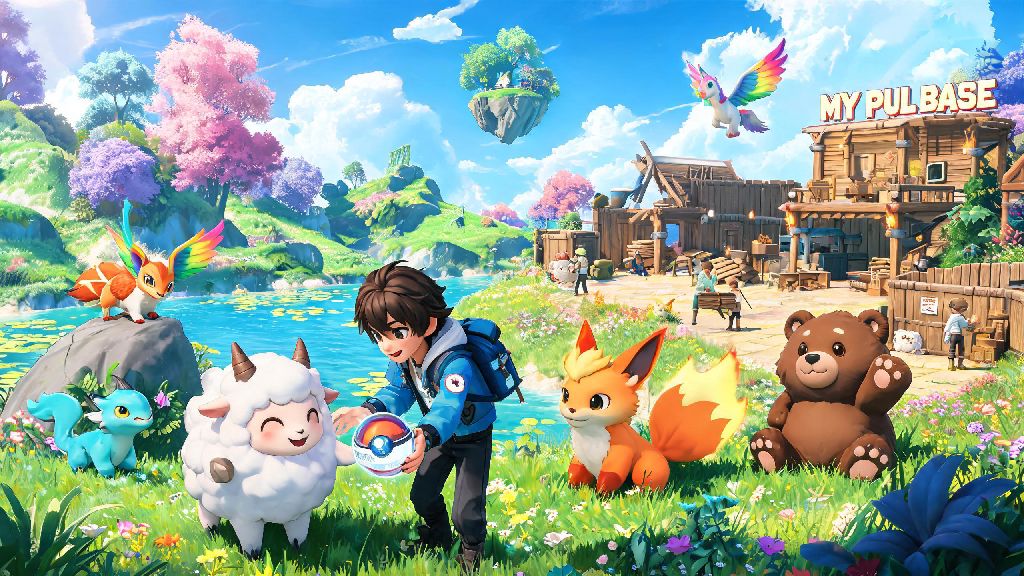
If you're a fan of creature collecting, base building, and chaotic open-world fun, you've probably already heard all the hype around Palworld. It's the kind of game that's perfect for playing for 10 minutes after work or losing an entire weekend to, so it's no surprise so many players are asking is Palworld on Game Pass before they commit to a full purchase. I've been playing Palworld since its early access launch, and I get the appeal of not dropping full price for a game you're not 100% sure you'll love, especially when there are so many new games launching every month. This guide breaks down everything you need to know about Game Pass availability, what perks you get if it's included, and what to do if you don't have a subscription.
Is Palworld on Game Pass for Console, PC & Cloud?
Yes, Palworld has been available on Xbox Game Pass for both console and PC, plus cloud gaming, since its early access launch. If you have an active Game Pass Ultimate or PC Game Pass subscription, you can download and play Palworld right now at no extra cost. Xbox One and Xbox Series X/S owners with console Game Pass also get access, no additional fees required. If you're not sure whether your subscription qualifies, just search for Palworld in the Xbox app or Microsoft Store. If you see an "Install" button instead of a "Buy" button, you're good to go.
The only catch is that the Game Pass version is the same early access build available on Steam or the Epic Games Store, so you'll get all the same updates, bug fixes, and new content drops as paying purchasers. I've tested both the Steam and Game Pass PC versions, and there's no difference in performance or content between the two, so you don't have to worry about missing out if you play via subscription.
Key Perks of Playing Palworld via Game Pass
Even if you can afford to buy Palworld outright, there are a ton of good reasons to play it via Game Pass if you already have a subscription. You don't have to pay upfront to test the game. Palworld is still in early access, so if you're on the fence about whether its mix of creature combat, base building, and slightly unhinged gameplay is for you, playing via Game Pass lets you try it for hours, not just a 30 minute demo, before you decide if you want to buy it permanently.
Cloud gaming support lets you play on almost any device. Game Pass Ultimate members can stream Palworld to their phones, tablets, or even low-end laptops that can't run the game natively, as long as they have a solid internet connection. I've used this feature to play while waiting for a flight, and it works surprisingly well even with touch controls, though a Bluetooth controller is better for longer play sessions.
You get access to exclusive in-game perks for Game Pass members. Microsoft occasionally runs limited time perks for Game Pass subscribers playing Palworld, including free cosmetic items for your Pals, extra base building resources, and even free Pal eggs you can't get anywhere else. These perks drop every few months, so it's worth checking the Game Pass perks tab regularly if you play via the subscription. Some of the most popular past perks include:
What to Do If You Don't Have Game Pass for Palworld
If you don't have an active Game Pass subscription, you still have plenty of options to play Palworld without breaking the bank. First, you can buy the game directly from the Microsoft Store, Steam, or Epic Games Store for a one-time fee. Once you buy it, it's yours permanently, no subscription required. You'll also get access to all future early access updates and the full 1.0 release when it launches, no extra charges.
A one-month Game Pass Ultimate trial is usually cheaper than buying the game outright. New Game Pass subscribers can often get their first month of Ultimate for just $1, which is way less than the regular early access price tag for Palworld. That gives you a full month to play as much as you want, and you can cancel anytime before the renewal date if you don't want to keep the subscription. Just make sure you turn off auto-renewal right after you sign up for the trial if you don't plan to keep the subscription, so you don't get charged unexpectedly at the end of the month. I almost forgot to do that once, and ended up paying for an extra month I didn't use, so trust me on that one.
If you plan to play for longer than a month, though, it might make more sense to buy the game permanently, especially if you don't play any other games on Game Pass. You can also look for limited-time sales on Palworld across all platforms, usually during major holiday sale events. The game goes on sale for 20-30% off every few months, so if you're willing to wait, you can save a bit of cash on a permanent purchase.
Common Issues With Palworld on Game Pass (and How to Fix Them)
For the most part, playing Palworld via Game Pass works exactly the same as playing the purchased version, but there are a few common issues that pop up for subscribers. Cross-play between Game Pass and Steam versions is limited right now. You can only play with other players who are on the same platform family as you. That means if you're playing on the Microsoft Store/Game Pass PC version, you can play with Xbox console players, but you can't join lobbies with your friends who bought the game on Steam. The devs have said they're working on full cross-play support across all platforms, but there's no official release date for that feature yet. I ran into this issue when I first tried to play with a friend who owns the Steam version, and it was a bit frustrating, but we just ended up switching to the same platform so we could play together. It's not ideal, but it's a temporary problem the devs are actively working to fix.
Another common issue is that save file transfers between platforms aren't supported. If you start playing Palworld on Game Pass PC and later decide to buy the Steam version, you can't move your save file over, so you'll have to start from scratch. That's a big thing to keep in mind if you think you might switch platforms later. Game Pass users also sometimes get content updates a few hours later than Steam users, especially for hotfixes for critical bugs. That's because Microsoft has to approve all updates before they roll out to Game Pass, so there's usually a short delay. If you encounter a bug that's already been fixed on Steam, you'll just have to wait a day or two for the fix to hit the Game Pass version.
If your Game Pass version of Palworld won't launch or crashes constantly, the easiest fix is to verify the game files via the Xbox app on PC or the "Manage Game" section on your Xbox console. That usually fixes corrupted file issues that cause crashes, and it only takes a few minutes to run.
At the end of the day, if you're wondering whether you can play the game without buying it first, the good news is that is Palworld on Game Pass for almost all subscription tiers, so you can jump in right away if you're already paying for the service. Even if you don't have a subscription, the cheap trial options make it easy to test the game without spending full price. Whether you choose to play via Game Pass or buy the game permanently, you're in for a wild, fun ride with tons of Pals to catch, bases to build, and chaos to cause. Don't forget to check the Game Pass perks tab regularly for free rewards if you do play via the subscription, and keep an eye out for cross-play updates coming down the line. You won't regret giving this weird, wonderful game a try.