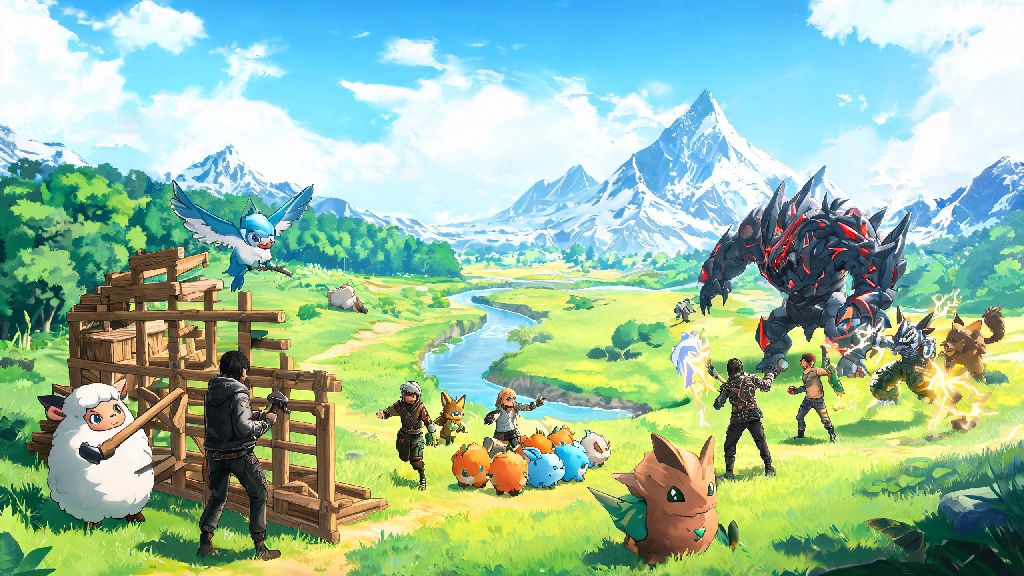
If you’ve ever spent an afternoon herding Pals, building a sprawling base, or taking down a powerful boss solo, you’ve probably wondered how many people can play Palworld with you to split the work (and the chaos). Multiplayer is one of the biggest draws of the open-world creature-collecting game, but there’s a lot of conflicting info floating around about lobby sizes, platform limits, and modded server caps. We’ve tested every multiplayer mode across PC, Xbox, and PlayStation to cut through the noise and give you accurate, up-to-date info you can use to set up your next game session with friends.
How Many People Can Play Palworld in Standard Lobbies?
The base, unmodded version of Palworld has two standard lobby types with fixed player caps for official play. Standard non-dedicated co-op lobbies, the easiest type to set up for casual friend groups, are capped at 4 players total, including the host. This mode lets you host directly from your game without any extra software, and your world saves to your local device, so friends can only join when you’re online and playing.
If you want to play with a larger group, official public dedicated servers support up to 32 concurrent players at a time. These servers are hosted by Pocketpair, so you don’t have to worry about managing hardware or settings, but you won’t have control over world rules, player behavior, or save files. Official servers are crossplay-enabled for PC and Xbox users, so you can join the same lobby no matter which of those two platforms you’re using.
PlayStation users currently have slightly lower standard caps, with non-dedicated lobbies capped at 4 players and official dedicated PlayStation servers capped at 16 players. The development team has stated they’re working to raise the PlayStation server cap to match other platforms in a future update.
Factors That Change Palworld Lobby Player Limits
The official player caps aren’t set in stone if you’re willing to use custom servers or mods. If you’re hosting your own custom dedicated server, you can edit the game’s configuration files to raise the player cap far beyond the official limits, though you’ll need a robust hosting setup to avoid lag or crashes when dozens of players are exploring, building, and fighting Pals at the same time.
Between tweaking server configs and troubleshooting connection issues for your friends, you might find yourself with 10 or 15 minutes of downtime while everyone downloads the latest game update. Lots of players use these short breaks to mess around with low-stakes casual games to pass the time, and one popular pick for quick, low-effort fun is Spin Winner. It fits perfectly into those small gaps between getting your lobby set up and actually jumping into the game, so you don’t get bored waiting for everyone to connect.
Modded server caps can go as high as 128 players, but most community servers stick to a 32 to 64 player cap to keep performance stable for all users. You can also lower the player cap if you want a more intimate, low-population server where you don’t have to compete for rare Pals or high-value resource spots. Just keep in mind that modded servers usually require all joining players to have the same mods installed, which can add extra setup time for your group.
Tips for Running a Smooth Multiplayer Palworld Lobby
No matter what size lobby you’re running, a few simple adjustments can make the experience way better for everyone involved. Even if you technically can raise your server cap to 128 players, you’ll probably have a more fun experience if you tailor the limit to your hardware and group size. We’ve pulled together our top tips from hundreds of hours of multiplayer testing:
For groups of 4 or fewer players, non-dedicated lobbies are almost always the best pick. They take 30 seconds to set up, don’t require any extra costs, and work seamlessly across PC and Xbox as long as all players have the latest game update installed. You only need to look into dedicated server hosting if you want to play with more than 4 people, or if you want your world to be accessible even when the original host isn’t online.
Crossplay is only supported between PC and Xbox users as of now, so PlayStation players can only join lobbies with other PlayStation users. That’s an important detail to remember if you have a mixed friend group across platforms, because you won’t be able to play together unless everyone is on PC/Xbox or everyone is on PlayStation.
Common Palworld Multiplayer Player Count Issues & Fixes
Even if you know the official player caps, you might run into issues when trying to fill your lobby with friends. The most common problem people run into is being stuck at a 4-player cap when they want more people to join. If that happens, you’re almost certainly running a non-dedicated lobby, and you’ll need to switch to a dedicated server setup to raise the cap. You can either rent a pre-configured dedicated server from a hosting service, or set one up yourself on a separate PC that’s not being used to play the game.
If you’re on Xbox and can’t join a 32-player official server, double check that you have the latest game update installed. Older versions of the Xbox release had a lower 8-player cap for dedicated servers, so updating your game will usually fix that issue immediately. You should also make sure you’re not trying to join a PlayStation-exclusive server, which will show up in server browsers but won’t let you connect if you’re on a different platform.
If your modded server is crashing or lagging badly when more than 20 people join, you don’t necessarily need to lower your player cap right away. Try reducing the maximum number of Pals that can spawn in each area, turning off unnecessary decorative build pieces, and limiting the number of automated base processes running at the same time to reduce server strain. Always back up your server save file before adjusting player cap settings, because a bad config change can corrupt your world and erase hours of progress for everyone playing.
At the end of the day, how many people can play Palworld with you depends entirely on what mode you’re using, what platform you’re on, and whether you’re using mods or custom servers. For most casual groups of friends, the standard 4-player non-dedicated lobby is more than enough to build bases, catch rare Pals, and take down endgame bosses without any extra hassle. If you want to run a larger community server or host events for dozens of players, you can easily adjust settings or use mods to raise the cap as high as your hardware can handle. No matter how big your group is, just remember to test your lobby settings before everyone joins, so you can spend less time troubleshooting and more time exploring the Palpagos Islands together.