If you’ve scrolled gaming social media or forums lately and seen chaotic clips of players catching weird and wonderful Pals, building sprawling bases, and taking on over-the-top boss fights, you’ve probably wondered is Palworld on Xbox so you can join in without splashing out on a high-end gaming PC. The creature-collection survival game took the world by storm when it launched in early access, leaving lots of console players confused about whether they can access it, what features are included, and if it’s worth picking up. This guide breaks down all confirmed, up-to-date details directly from developer Pocketpair, no unsubstantiated rumors or outdated info included.
Is Palworld on Xbox? Confirmed Availability and Supported Models
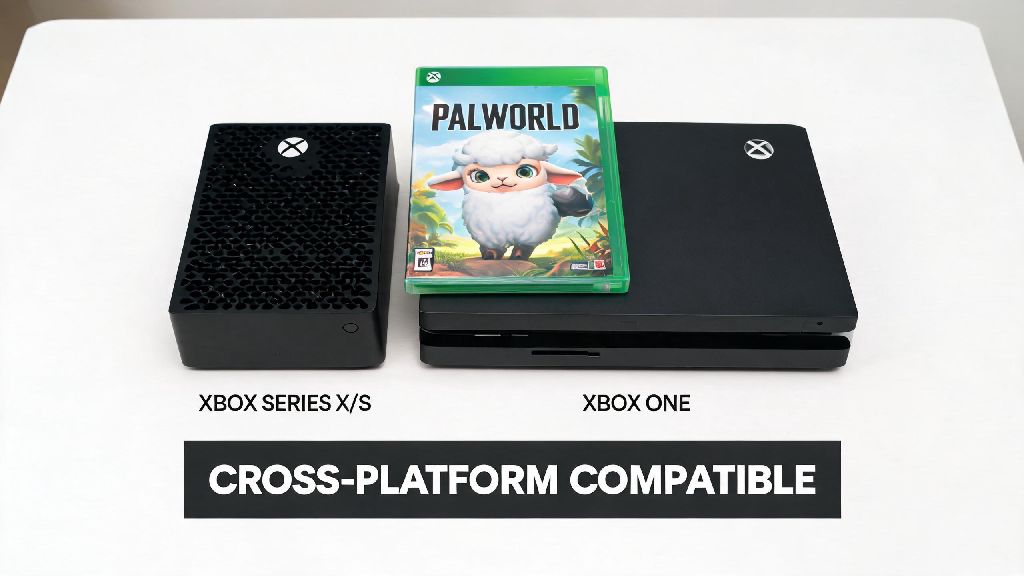
The short answer is yes, Palworld is available for all current and last-generation Xbox consoles, including the Xbox Series X/S and Xbox One family of devices. It launched on Xbox platforms the same day it hit Steam early access, so console players haven’t had to wait longer than PC players to try the hit game. Palworld is included with all tiers of Xbox Game Pass for console, cloud, and PC, so you don’t have to buy it separately if you have an active subscription.
If you don’t have Game Pass, you can purchase Palworld as a standalone digital title from the Xbox Store for the same price as the Steam version. Physical copies are not available for Xbox as of now, though Pocketpair has hinted they may release a physical edition once the game leaves early access. The Xbox version gets all content updates at the exact same time as the PC version, so you won’t miss out on new Pals, biomes, or features when they drop.
Key Differences Between Palworld on Xbox and PC Versions
While the core gameplay of Palworld is identical across Xbox and PC, there are a few key differences you should know about before you download the game. The biggest one for most players is crossplay support. Xbox Palworld currently only supports crossplay between Xbox consoles and Microsoft Store PC accounts, not Steam players. If most of your friends play on Steam, you won’t be able to join their worlds right now, though this feature is in the works.
Another big difference is mod support. The PC version of Palworld has a huge modding community that adds custom Pals, gameplay overhauls, and quality of life features, but Xbox doesn’t support user-created mods at this time. There are no official plans for mod support on Xbox as of the latest dev update, though the team has mentioned they are exploring options for future post-launch additions. Performance also varies slightly between platforms: the Xbox Series X can run the game at 4K 30fps or 1080p 60fps, while the Series S targets 1440p 30fps or 1080p 60fps, and Xbox One models run at a steady 1080p 30fps for most gameplay.
How to Get Started With Palworld on Xbox
Getting set up to play Palworld on Xbox is straightforward, even if you’re brand new to the game. If you have an active Game Pass subscription, just search for Palworld in the Xbox Store, hit install, and you’re ready to go. If you’re buying the game standalone, you can purchase it directly from the store and it will download automatically once payment goes through. Before you start playing, there are a few quick setup tips that will make your first few hours way smoother:
I’ve tested the default controller layout myself, and swapping the interact button to the right bumper makes catching Pals way faster when you’re in a busy fight with multiple wild creatures or competing for a rare spawn. If you’re playing on an older Xbox One, you may notice slight frame rate drops when you’re near large bases with lots of Pals working. If you run into frequent crashes on Xbox, try clearing your local save cache and reinstalling the game, as corrupted save files are the most common cause of performance issues for console players.
What's Next for Palworld on Xbox? Upcoming Features to Watch For
Since Palworld is still in early access, the dev team is releasing regular patches and updates to fix bugs and add new features for all platforms, including Xbox. The most requested feature from Xbox players is full crossplay with Steam accounts, and Pocketpair has confirmed this is one of their top priorities for the next few major updates. No exact release date has been announced, but the team has said they are targeting a mid-year rollout for full crossplay support.
Other upcoming features for Xbox include dedicated server support, so you can host persistent public or private worlds for you and your friends without leaving your console turned on 24/7. The team is also working on fixing common Xbox-specific bugs, like Pals getting stuck in base walls, fast travel failing to load, and occasional save file corruption. You can report any Xbox-specific bugs you find through the in-game feedback tool, as the dev team prioritizes issues reported by console players for each patch cycle.
All new Pals, biomes, and story content will continue to roll out to Xbox at the same time as PC, so you never have to wait to access new parts of the game. Pocketpair has also promised that any future paid DLC will be available for Xbox players on the same day as PC players, with no platform exclusivity periods.
At the end of the day, if you’ve been holding off on playing because you weren’t sure is Palworld on Xbox, you can stop waiting and jump in right now. Even with a few missing features compared to the PC version, the Xbox release is still polished, fun, and packed with all the chaotic creature-collecting gameplay that made the game go viral. If you have Game Pass, it’s an absolute no-brainer to try, since you don’t have to pay anything extra to access it. If most of your friends play on Steam, you can either wait a few months for crossplay to launch, or start a new world with your Xbox friends and have just as much fun. I’ve put over 40 hours into the Xbox version so far, and I haven’t for a second felt like I’m missing out on any of the joy of running around catching Pals and building my dream base.