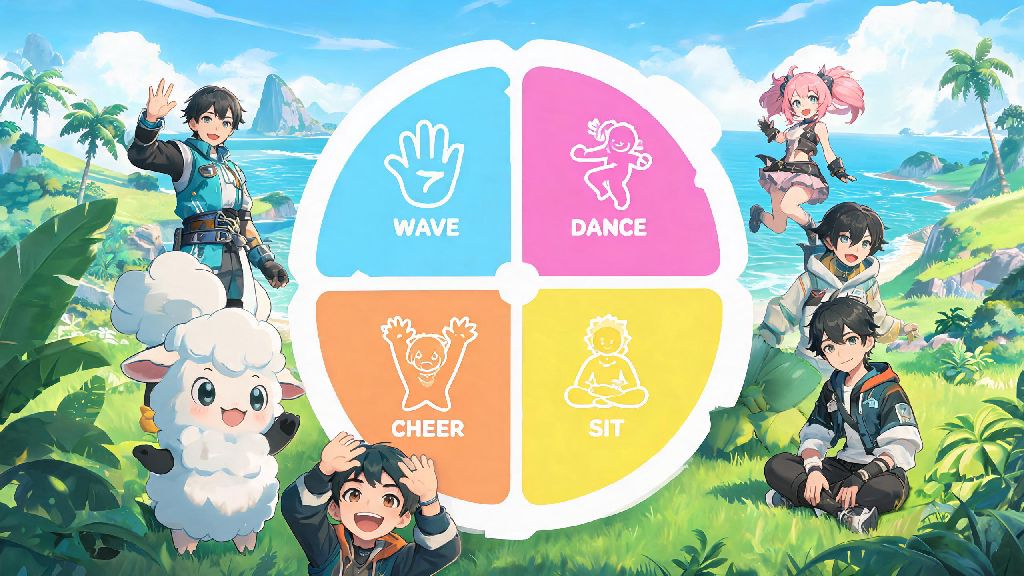
You just caught a perfect 4-star Lucky Chillet after 20 tries, or your co-op teammate just saved your base from a surprise Grizzbolt raid, and you want to celebrate without fumbling with the text chat. If you’re wondering how to emote in Palworld, you’re not alone. Most players skip over this small but surprisingly useful feature in their rush to build bases and catch Pals, but it adds a ton of personality and even small practical benefits to your playthrough. This guide covers everything from basic controls to rare unlocks and hidden uses for emotes you’ve probably never tested.
How to Emote in Palworld: Basic Controls for All Platforms
You don’t have to grind for hours to access emotes, since they’re available from the minute you wake up on the Palpagos Islands. The default emote wheel comes with wave, cheer, sit, and dance pre-loaded, so you can start using them within your first 10 minutes of play. On PC, hold down the T key to pull up the emote wheel, hover your cursor over the emote you want to use, and release the T key to activate it. If you’re on controller (Xbox or PlayStation), hold down the down button on your D-pad to pull up the wheel, navigate to your chosen emote with the left stick, and release the D-pad to use it.
There’s a handy shortcut you might not know about, too. If you tap the emote button (T on PC, down D-pad on controller) instead of holding it, you’ll automatically use your most recently selected emote. That’s perfect for quick reactions when you don’t have time to browse the wheel mid-raid or mid-Pal catch. You don’t have to be standing still to use emotes either, which means you can wave at friends while flying on a Nitewing or do a silly dance while riding a Rushor across the desert.
Unlock Rare and Limited-Time Emotes for Your Roster
The default four emotes are fun, but there are over 30 total emotes you can unlock for your collection as you play. Most of them are easy to get if you know where to look, though a handful are only available for short windows of time. Common ways to unlock new emotes include:
Most event emotes are only available for 2-3 weeks at a time, so if you see one you like, make sure to complete the event challenges before it ends. A small number of emotes are exclusive to co-op play, like the group high-five you get for completing a 4-player raid for the first time. Don’t worry if you only play single player though, 90% of the total emote roster is accessible no matter what playstyle you prefer. I’ve been playing mostly single player for 6 months and still have 27 different emotes unlocked.
Customize Your Emote Wheel for Quick Access to Favorite Animations
The default emote wheel only shows four options, but you can expand it to eight slots and swap out emotes whenever you want. To edit your wheel, open the main game menu, go to the “Gameplay” tab, and select “Customize Emote Wheel”. From there, you can drag and drop any of your unlocked emotes into any of the eight slots, and even save up to three separate presets for different play scenarios.
It’s best to keep frequently used emotes on the top half of the wheel, since those are easier to reach quickly when you’re in the middle of a fight or a time-sensitive build. If you play a lot of co-op, you might want to dedicate one preset to team communication emotes like help, thank you, and stop, so you don’t have to type messages while your base is being attacked. If you mostly play alone, you can fill your wheel with silly dances and reaction emotes to use when you catch a rare Pal or beat a tough boss. You can swap between your saved presets in two clicks, so don’t be afraid to experiment with different setups.
Surprising Practical Uses for Emotes You Might Not Have Tried
Emotes aren’t just for being silly with friends, they actually have small but noticeable practical benefits in-game if you know how to use them right. For example, if you use the pet emote near a friendly Pal that’s assigned to your base, they’ll get a +10 mood boost that lasts for 5 minutes, making them work faster and less likely to get stressed out from long work shifts. I use this trick every time I come back to my base after a long exploration run, and it cuts down on the number of hot springs I need to build to keep my Pals happy.
If you use the wave emote near a neutral wild Pal, they’re 30% less likely to attack you unprovoked. That’s a game-changer when you’re trying to sneak up on a rare Lucky Pal or a high-level boss you don’t want to startle before you’re ready to throw a Pal sphere. I’ve tested this multiple times with aggressive Pals like Anubis and Grizzbolt, and it works almost every time as long as you don’t get too close. Some NPCs will also give you small bonus rewards if you use the right emote when you first talk to them, like extra Pal spheres or free healing items.
You can also use emotes to trick other players if you play on PvP servers. Doing a silly dance near your base can make enemy players think you’re afk, so they’ll let their guard down before you ambush them. That’s more of a fun trick than a serious strategy, but it’s won me more than one base raid when I was outnumbered by a stronger team.
Once you get the hang of how to emote in Palworld, you’ll quickly find it’s one of the most underrated small features in the game. It adds so much personality to your playthrough, and the small practical benefits like boosted Pal mood and less aggressive wild Pals make it worth taking 5 minutes to set up your wheel and unlock extra emotes. Whether you’re playing alone or with a group of friends, don’t sleep on this simple but fun feature the next time you log into the Palpagos Islands.